Read the percentages as codewords
DENSO WAVE describes these as approximate restoration rates for total codewords, the units that hold encoded data and correction information. They are not percentages of the visible square that can safely be covered or removed.
| Level | Approximate recoverable codewords | Relative redundancy |
|---|---|---|
| L | 7% | Lower |
| M | 15% | Moderate |
| Q | 25% | Higher |
| H | 30% | Highest of these four |
More redundancy can change the symbol
Correction information uses capacity. Depending on the amount of encoded data, increasing the level can require a larger symbol version with more modules. If you then squeeze that denser symbol into the same printed space, each module becomes smaller.
Compare exports at the actual intended dimensions. The question is not only whether there is more recoverable data, but whether the reader can reliably distinguish the printed pattern. When space is limited, simplify the design, reconsider the destination payload or enlarge the reserved area before accepting a difficult-to-read proof.
Do not turn the number into a damage budget
A logo, a scratch and a fold do not affect the code in interchangeable ways. Treat the percentages as a description of the correction mechanism, not permission to remove a matching patch of the picture. The safest production workflow preserves the code and its clear space in the first place.
A simple example: choosing H does not mean a designer may cover 30% of a printed code with a brand mark. If branding is important, use a restrained logo, protect the symbol’s structure and test the final version. Use the surrounding sign for large names, slogans and decorative imagery.
Choose with the operating conditions in mind
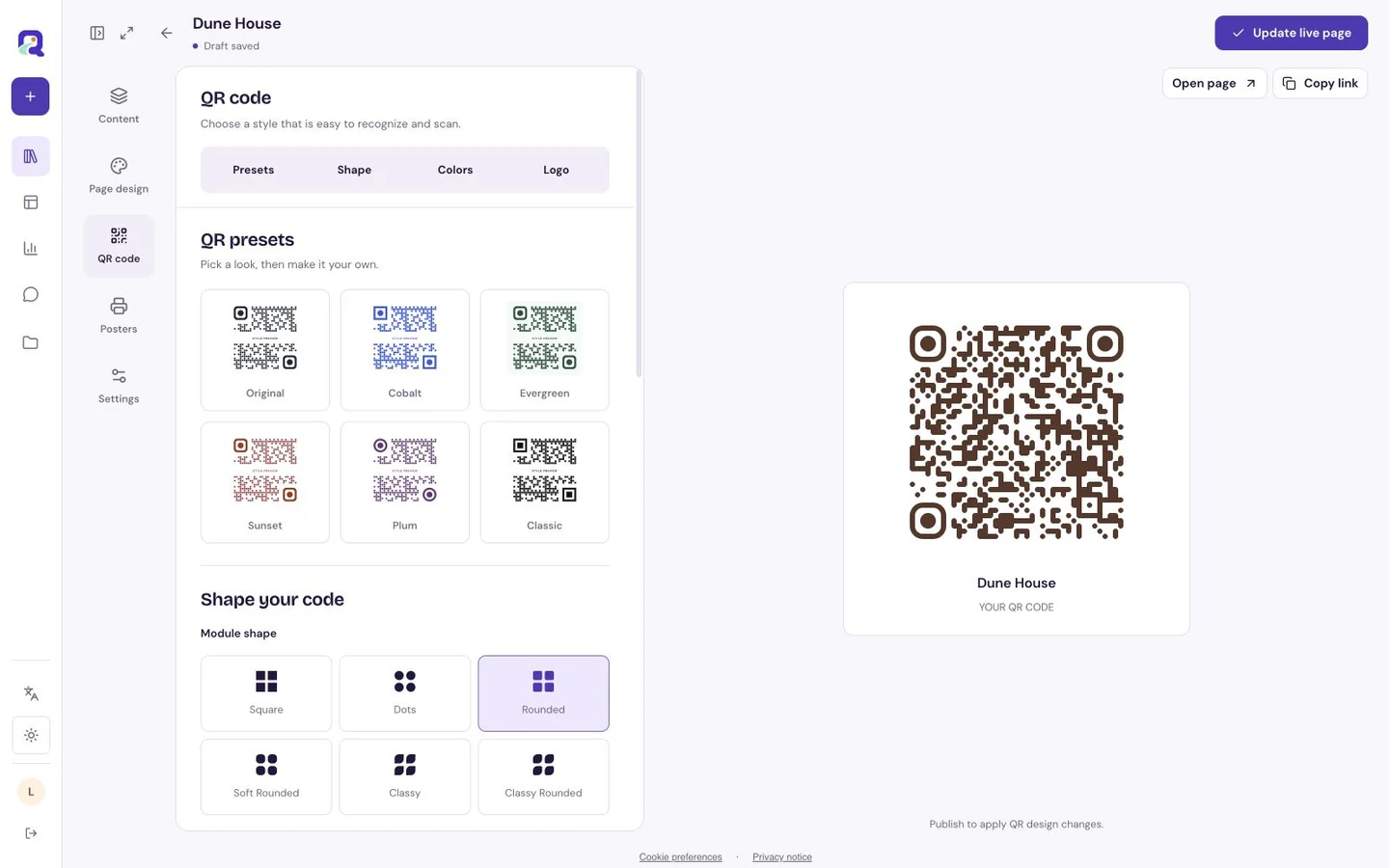
Start with a clear idea of the placement: a protected indoor card, a handled label or a sign exposed to daily wear. QRTech’s editor provides all four levels and starts with H in its default appearance. That starting setting still needs review with the actual destination, size and styling.
Keep a plain reference version while experimenting. Compare only one design variable at a time so you can tell what changed the result. If both the plain and styled prints struggle, investigate size, output quality and placement before attributing the problem to the correction level.
- Set the destination and choose a practical physical size.
- Export a simple reference code and the intended design.
- Compare their readability under the same conditions.
- Adjust a single variable, then export and test again.
- Keep the simplest design that meets the purpose comfortably.
Check the code over its useful life
Record the approved file and print specification so replacements are consistent. Inspect the real copies after installation: a moved frame, peeling sticker or worn surface may change the experience. Replace damaged artwork instead of relying on correction to rescue it indefinitely.
Check the destination separately. Error correction cannot restore a deleted page, make an unavailable website load or update old native Wi-Fi credentials. For QRTech hosted routes, maintain the original resource and account access. For native Wi-Fi, replace the printed symbol when the credentials change. Code design and destination maintenance solve different parts of the same visitor journey.
Questions, answered.
Should I always choose H?
H provides the most redundancy among these four levels, but may produce a denser symbol. Compare the actual code at its intended size and test it before deciding.
Can error correction fix a broken destination?
No. It helps recover encoded data. Once the phone reads the address correctly, an unavailable page or incorrect destination needs a separate fix.