
What this page is here to do.
A seasonal supper club with the evening’s menu and guest preferences.
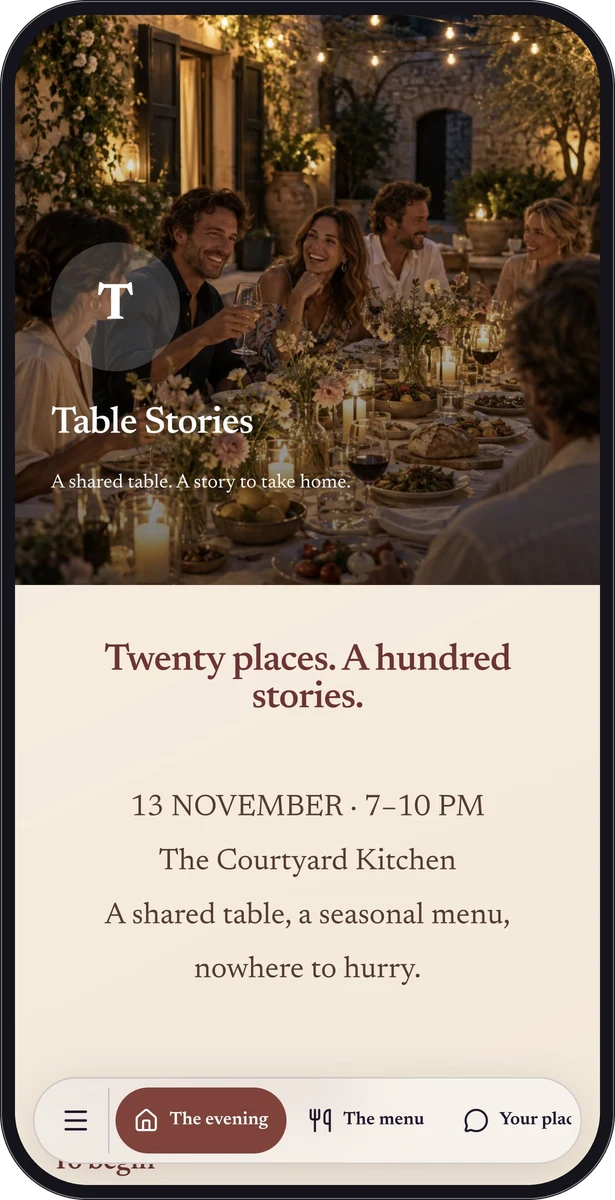
“A shared table. A story to take home.” introduces the page. The rest of the experience should help a visitor move from that first impression to the information or action they came for. Open the interactive preview to explore the currently published sample.
The useful pieces, in their own order.
This published example brings together Text, Divider, Restaurant menu, Calendar event, Form, Location, Social media strip. Each is a native QRTech block rather than text baked into a single image.
The blocks below reflect the current published sample. Some block types require Premium; the creation flow and plan summary explain that eligibility.
- Twenty places. A hundred stories. — Text
- The evening’s table — Restaurant menu
- Save the date — Calendar event
- Tell us a little before you come — Form
- A seat. A glass. A conversation. — Text
- Find your way here — Location
- Social media strip — Social media strip
A page design with a point of view.
The page uses the editorial typography option with a gradient background. Its native preview lets you see the spacing, imagery and individual block choices together.
Use the design as inspiration for your own content. A good adaptation keeps the useful hierarchy while choosing the photographs, wording and colors that belong to your place or work.
Take the idea. Make it yours.
Start a custom page, add the blocks your own visitors need, and preview the result before sharing. Use a normal shortlink in messages or a social bio; add a connected QR code or poster when there is a useful physical place for it.
This is a fictional demonstration, not a customer case study. Sample forms and other actions do not create real bookings, orders or registrations. The creation button opens a new page; it does not automatically copy this sample.